


| 
| 
| 
|
| Office Hours | Handouts | Projects | Classes |
This page was last updated: March 18, 2025
"Imagination will often carry us to worlds that never were. But without it, we go nowhere." -- Carl Sagan
"What will matter is what you learned and how you used it." -- poster outside my office
"Don't wake me for the end of the world unless it has very good special effects."
-- Roger Zelazny (science fiction writer)
A special welcome to all you Ecampusers! Glad to have you here!
As Ecampusers, you will experience the same course that the on-campus students experience. Same material, same notes, same projects, same quizzes, same tests, same online Office Hours, and same me. There are recorded videos that go along with the notes (they are called "LV" for "Lecture Videos" and you will see them in the same table that has links to the notes).
Like I do whenever I have Ecampus students, I will setup a time every week to do a Live Lecture so that you also can hear a discussion of the topics with the chance to ask live questions. You can also ask questions in the Zoom Chat, and I will answer them in a document that I will post in the same place I post the recorded LL videos.
The Live Lectures will be Wednesdays, 3:00-5:00 PM PT.
It will be on Zoom at:
https://oregonstate.zoom.us/j/8340727662?pwd=b01tZ0hJUzdHNUtrdTRqSkdwbG4zdz09
Contrary to the original information, there will be a LL on February 5.
On-campus Shaderers are welcome to come as well.
These Live Lectures will be recorded so that if you miss them, you can catch them later.
Thanks, Ecampusers, for being here!
Stuff You Should Be Interested In:
| Monday | March 17 | 10:00 - 12:00 |
| Tuesday | March 18 | 9:00 - 10:00 |
$ sudo rm -rf /Library/Developer/CommandLineTools
$ xcode-select --install
| Vertices | Triangles | File |
|---|---|---|
| 3,226 | 6,120 | snake.obj |
| 18,689 | 36,720 | snakeH.obj |
These OBJ files have normals and texture coordinates.
Left-click on a file to see what it looks like.
Right-click on it to download it.
Thanks to Free3D for the model!
Graduation! Graduation! Graduation!
BTW, this will all be livestreamed for your friends and relatives that cannot attend!
Job-Hunting Information:
The goals of this course are to leave you "career-ready" (i.e., both work-ready and research-ready) for tasks that require the implementation of graphics algorithms in the form of shaders.
CS 457/557 topics include:
If you are wondering what types of shaders your own graphics card supports, check this table. You can tell what shaders the card supports by looking at the Shader Model (or Shader Level) or what DirectX / OpenGL version it supports:
| Shader Model | OpenGL | DirectX | Supports |
|---|---|---|---|
| 3.0 | 2.x | 9 | Vertex, Fragment |
| 4.0 | 3.x | 10 | Geometry |
| 5.0 | 4.x | 11 | Tessellation, Compute |
We will cover all of these different types of shaders.
While you don't exactly need previous 3D graphics programming experience to take this course,
we are going to jump into shader topics as if you have it.
CS 450/550, 453/553, or 554 are good preparation.
If you don't have any of these under your belt,
I suggest that you look over the CS 450/550 class notes,
which can be found here.
Prerequisites
Professor
The class is being taught by
Professor Mike Bailey.
| Office: | Kelley 2117 (2nd floor, south side) |
| Email: | mjb@cs.oregonstate.edu |
| Phone: | 541-737-2542 |
| See the table below. | |
| or, by appointment -- send email |
We have 6 TAs for CS 457/557: Ninad Anklesaria, Disha Basavaraja Kanavikar, Amulya Natuva, Shubhangi Pandey, Phillip Renaud-Tussey, and Uddyan Sinha.
| Ninad Anklesaria | Disha Basavaraja Kanavikar | Amulya Natuva | Shubhangi Pandey | Phillip Renaud-Tussey | Uddyan Sinha | Prof. Bailey | |
| anklesan@oregonstate.edu | kanavikd@oregonstate.edu | natuvaa@oregonstate.edu | pandeys@oregonstate.edu | renaudtp@oregonstate.edu | sinhau@oregonstate.edu | mjb@cs.oregonstate.edu | |
| Zoom-room | Zoom | Zoom | Zoom | Zoom | Zoom | Zoom | Zoom |
| Mondays | 10:00-1:00 | 3:00-5:00 | 12:00-2:00 | 8:00-11:00 AM | 10:00-12:00 | ||
| Tuesdays | 10:00-12:00 | 8:00-9:30 AM | 2:00-5:00 | 8:00-11:00 AM | |||
| Wednesdays | 8:00-10:00 AM | 2:00-5:00 | 11:00-1:00 | 8:00-9:30 | LL: 3:00-5:00* | ||
| Thursdays | 9:00-12:00 | 10:00-2:00 | 3:00-5:00 | 8:00-9:00 AM | 12:00-2:00 | ||
| Fridays | 9:00-12:00 | 1:00-3:00 | 8:00-11:00 AM , 3:00-5:00 | 12:00-5:00 | 4:00-6:00 | ||
| Saturdays | 10:00-12:00 | 8:00-10:00 AM | |||||
| Sundays | 8:00-10:00 AM , 12:00-1:00 |
|
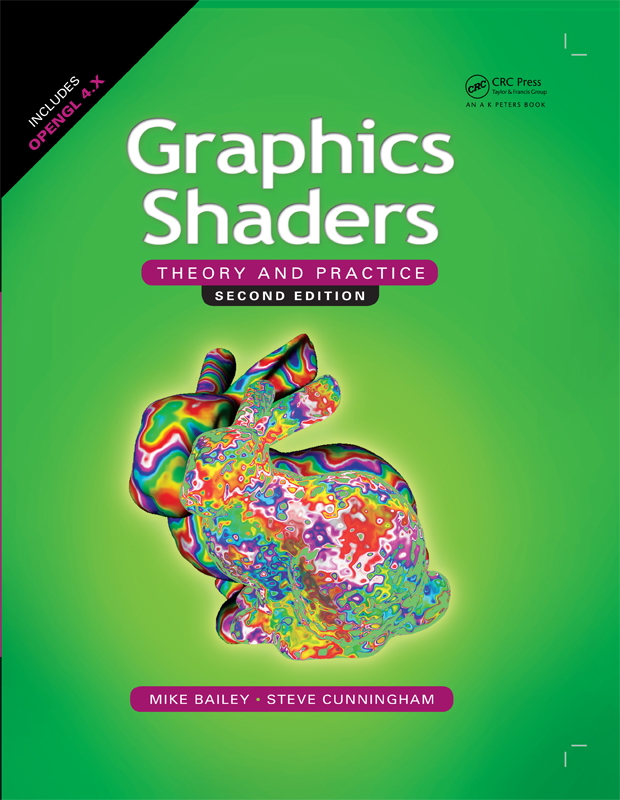
Bailey and Cunningham,
Graphics Shaders: Theory and Practice,
Second Edition,
CRC Press,
2012.
ISBN: 978-1-56881-434-6.
If you do end up wanting it, it is available through Amazon, or through CRC Press. Last I looked, it was cheaper on the CRC site. Not sure why. |
The Shreiner and Upstill books are in the "CGEL Library".
Other Good References
Handouts and Recorded Videos
LV = Lecture Video ; DV = Demo Video ; CS = Coming Soon
| Week # | Topic | ||||||||
|---|---|---|---|---|---|---|---|---|---|
| 1 | Introduction to CS 457/557 | 1pp | 2pp | 4pp | 6pp | LV | |||
| 1 | Our Class Resources Page | HTML | LV | ||||||
| 1 | Project Notes for CS 457/557 | 1pp | 2pp | 4pp | 6pp | LV | |||
| 1 | History of Shaders | 1pp | 2pp | 4pp | 6pp | LV | |||
| 1 | Homogeneous Coordinates | 1pp | 2pp | 4pp | 6pp | LV | |||
| 1 | Shaders Notes from CS 450/550 | 1pp | 2pp | 4pp | 6pp | LV-A | LV-B | LV-C | |
| 1 | Texture Mapping from CS 450/550 (explains s and t) | 1pp | 2pp | 4pp | 6pp | LV-A | LV-B | ||
| 1 | GLSL API | 1pp | 2pp | 4pp | 6pp | LV | |||
| 1 | Keytime Animation Notes from CS 450/550 | 1pp | 2pp | 4pp | 6pp | LV | |||
| 1 | Glman | ||||||||
| 1 | Lighting Notes from CS 450/550 | 1pp | 2pp | 4pp | 6pp | LV-A | LV-B | ||
| 1 | Lighting | 1pp | 2pp | 4pp | 6pp | LV | |||
| 1 | Mixing | 1pp | 2pp | 4pp | 6pp | LV | |||
| 1 | Morphing | 1pp | 2pp | 4pp | 6pp | LV | |||
| 2 | Stripes, Rings, and Dots | 1pp | 2pp | 4pp | 6pp | LV | |||
| 2 | Displacement Textures | 1pp | 2pp | 4pp | 6pp | LV | |||
| 2 | Noise | 1pp | 2pp | 4pp | 6pp | LV | |||
| 2 | Noise Terrain | 1pp | 2pp | 4pp | 6pp | LV | |||
| 2 | Fragment Shader Silhouettes | 1pp | 2pp | 4pp | 6pp | LV | |||
| 3 | Bump Mapping | 1pp | 2pp | 4pp | 6pp | LV | |||
| 3 | Disco-ball Lighting | 1pp | 2pp | 4pp | 6pp | LV | |||
| 3 | Dome Projection | 1pp | 2pp | 4pp | 6pp | LV | |||
| 3 | Hyperbolic Geometry | 1pp | 2pp | 4pp | 6pp | LV | |||
| 4 | Timer | 1pp | 2pp | 4pp | 6pp | LV | |||
| 4 | Cube Mapping | 1pp | 2pp | 4pp | 6pp | LV | |||
| 5 | Test #1 Review | HTML | |||||||
| 5 | Red-Cyan Stereographics | 1pp | 2pp | 4pp | 6pp | LV | DV | ||
| 5 | Image Manipulation | 1pp | 2pp | 4pp | 6pp | LV | |||
| 6 | Render-to-Texture | 1pp | 2pp | 4pp | 6pp | LV | |||
| 6 | Bloom | 1pp | 2pp | 4pp | 6pp | LV | |||
| 6 | Spectral Effects | 1pp | 2pp | 4pp | 6pp | LV | |||
| 6 | Lens Effects | 1pp | 2pp | 4pp | 6pp | LV | |||
| 6 | Modeling Wave Motion | 1pp | 2pp | 4pp | 6pp | LV | |||
| 7 | Geometry Shaders | 1pp | 2pp | 4pp | 6pp | LV-1 | LV-2 | ||
| 7 | GLM | 1pp | 2pp | 4pp | 6pp | LV | |||
| 7 | A short GLM Primer | HTML | |||||||
| 7 | Shadow Notes from CS 450/550 | 1pp | 2pp | 4pp | 6pp | LV | |||
| 7 | The Science of Pixar | 1pp | 2pp | 4pp | 6pp | LV | |||
| 8 | Scientific Visualization using Shaders | 1pp | 2pp | 4pp | 6pp | LV-1 | LV-2 | ||
| 8 | The SuperQuad | 1pp | 2pp | 4pp | 6pp | LV | |||
| 8 | Tessellation Shaders | 1pp | 2pp | 4pp | 6pp | LV-1 | LV-2 | ||
| 8 | GPU 101 from CS 475/575 | 1pp | 2pp | 4pp | 6pp | LV | |||
| 8 | Compute Shaders | 1pp | 2pp | 4pp | 6pp | LV | |||
| 8 | Generalized Bump Mapping with Surface Local Coordinates | 1pp | 2pp | 4pp | 6pp | LV | |||
| 9 | Advanced Bump Mapping: Normal Mapping | 1pp | 2pp | 4pp | 6pp | LV | |||
| 9 | Advanced Bump Mapping: Parallax Mapping | 1pp | 2pp | 4pp | 6pp | LV | DV | ||
| 9 | Introduction to Vulkan | 1pp | 2pp | 4pp | 6pp | LV | |||
| 9 | Vulkan GLSL | 1pp | 2pp | 4pp | 6pp | LV | |||
| 10 | Vulkan Ray Tracing | 1pp | 2pp | 4pp | 6pp | LV | |||
| 10 | Algorithmic Art | 1pp | 2pp | 4pp | 6pp | LV | DV | ||
| 10 | RenderMan for GLSLers | 1pp | 2pp | 4pp | 6pp | LV | |||
| 10 | More Information | ||||||||
| 10 | Test #2 Review | HTML | |||||||
| -- | Creating a Video Demo of a Graphics Project | 1pp | 2pp | 4pp | 6pp |
To see an Academic Year calendar,
click here.
Class time is:
Tuesdays and Thursdays, 10:00 - 11:40.
Unless otherwise specified,
all of our classes will be in
Learning Innovation Center (Linc) room 210.
Note: this schedule is my best guess at where we will be when.
It is only approximate.
Class Schedule
| Week # | Starting Date | Topics |
|---|---|---|
| 1 | Jan 6 |
Introductions.
General course information.
History of Shaders The graphics pipeline -- how it really works. Homogeneous coordinates. Coordinate systems: Model, World, Eye, NDC, Clip, Screen. Introduction to the OpenGL Shading Language (GLSL) Attribute, Uniform, and Varying variables GLSL built-in functions and variables glman The GLSL API The GLSLProgram C++ class Vertex shaders |
| 2 | Jan 13 |
Stripes in model vs. world coordinates
The smoothstep( ) function Checkers Z-buffer pollution Geometry Morphing GLSL Textures: unsigned byte, floating point, 2D, 3D, parameters, binding, texture units, multitextures, sampler functions Using textures in the vertex shader: displacement maps Noise: Positional, Gradient. Cubic and quintic interpolation. Fractional Brownian Motion (FBM, 1/f), turbulence. glman Noise Reading a noise texture Using noise to create terrain |
| 3 | Jan 20 |
More noise
Lighting Disco-ball Lighting Bump mapping |
| 4 | Jan 27 |
SSAO
Morphing Timer Noise Terrain |
| 5 | Feb 3 |
Cube mapping
Reflection, Refraction More fun with vertex shaders: Dome projection, Hyperbolic geometry. Test #1 Review Test #1 goes live at 12:01 AM PT on Wednesday, February 5. It closes at 23:59 PT on Saturday, February 8. It wil consist of 40 questions, on Canvas, multiple choice, open notes. A Public Service Announcement: Valentine's Day is coming up quickly! |
| 6 | Feb 10 |
Happy Valentines's Day on Friday!
Discuss the Final Project. Image Manipulation Render to Texture |
| 7 | Feb 17 |
The optics of rainbows
The optics of diffraction The optics of lenses Geometry Shaders A one-page PDF project proposal is due to me by 23:59 on Wednesday, February 21. Turn it in on Teach. |
| 8 | Feb 24 |
Geometry Shaders
Tessellation shaders Scientific Visualization using shaders |
| 9 | Mar 3 |
Compute Shaders
Click here to see the Compute Shader particle system from the class notes. Advanced Bump Mapping: Surface Local Coordinates Advanced Bump Mapping: Normal Mapping Advanced Bump Mapping: Parallax Mapping |
| 10 | March 10 |
Algorithmic Art
Vulkan and its GLSL Shaders Test #2 review. Test #2 goes live at 12:01 AM PT on Wednesday, March 19. It closes at 23:59 PT on Saturday, March 23. It wil consist of 40 questions, on Canvas, multiple choice, open-notes. More Information |
At a day and time to be determined, I will be hosting a Live Lecture on Zoom. We will go over some current course materials and see live demos. The important thing is that it will be a time for you to ask live questions. Each LL will probably last anywhere from 60 to 90 minutes.
Attendance at the LLs is optional. These sessions will be recorded (see below) in case you missed them.
LLV = Live Lecture Video
Sorry, I got so excited to start LL#1 that I didn't hit the record button right away.
| Week # | LLV | Chat |
|---|---|---|
| 1 | LLV | |
| 2 | LLV | |
| 3 | LLV | |
| 4 | LLV | |
| 5 | LLV | |
| 6 | LLV | ----- |
| 7 | LLV | ----- |
| 8 | LLV | ----- |
| 9 | LLV | ----- |
| 10 | LLV | ----- |
| Project # | Points | Title | Due Date | LV | |
|---|---|---|---|---|---|
| 1 | 60 | Step- and Blended-edged Elliptical Dots | January 19 | LV | |
| 2 | 100 | Noisy Elliptical Dots | January 27 | LV | |
| 3A | 50 | Displacement Mapping and Lighting | February 2 | LV | |
| 3B | 50 | Displacement Mapping, Bump Mapping, and Lighting | February 5 | LV | |
| 4 | 100 | Cube Mapping Reflective and Refractive Surfaces | February 12 | LV | |
| 5 | 100 | Image Manipulation | February 18 | LV | |
| FP Proposal | 10 | Final Project Proposal | February 19, 23:59, no BDs | LV | |
| 6 | 60 | The Snake Menagerie Project | February 26 | LV | |
| 7A | 100 | Geometry Shaders | March 7 | LV | |
| 7B | 100 | Alternative to the Geometry Shaders Project | March 7 | LV | |
| 557 Paper | 100 | Paper Project (for those in CS 557) | March 17, 23:59, no late submissions, no BDs | LV | |
| FP | 90 | Final Project | March 17, 23:59, no late submissions, no BDs | LV |
Projects are due at 23:59 on the listed due date,
with the following exception:
Each of you has been granted
5
Bonus Days, which are no-questions-asked
one-day extensions which may be applied to any project, subject to the following rules:
If you turn in a project three or more days late, your score is a zero.
If you turn in a project late and you don't have enough Bonus Days left to spend on it,
your score is a zero.
You don't need to ask me, or even tell me, that you are using Bonus Days.
Just turn your project in one-or-two days late.
I have a script that will check your turn-in date and deduct the Bonus Days.
It is up to you to track how many Bonus Days you have used up.
However, I also keep a spreadsheet of all of your Bonus Days.
If you lose track, send me an email and ask.
Your scores will be posted on Canvas
CS 557 will be graded on a fill-the-bucket basis.
There will be 8 programming projects, 10 quizzes, and two tests.
You get to keep all the points you earn.
Those taking the class as CS 557 will also do a 100-point essay summarizing
a research paper.
(Those taking the class as CS 457 will get a free 100 points for this assignment.)
The quizzes will be done via Canvas.
They will open each Friday at 12:01 AM PT and will close Sunday night at 23:59 PT.
Canvas is very unforgiving about due times -- don't push it.
Your final grade will be based on your overall class point total.
Based on an available point total of 1120,
grade cutoffs will be no higher than:
Project Turn-In Procedures
Bonus Days and Late Assignments
Grading
| Points | Grade |
| 1080 | A |
| 1060 | A- |
| 1040 | B+ |
| 1020 | B |
| 1000 | B- |
| 980 | C+ |
| 960 | C |
| 940 | C- |
| 920 | D+ |
| 900 | D |
| 880 | D- |
Notice that this grade scale is not 90%-80%-70%-60%. That is because I just do a soft grade on the projects.
To download files, right-click on their links.
Here is a folder with some of my favorite OBJ files.
Opening up the ShaderSampleWindows.zip or ShaderSampleLinux.tar or ShaderSampleMac.tar file
will produce a folder full of all the other files you need.
You do not need to go hunt the internet for any other files.
Use the ones that have been given to you.
Downloadable Files
| Windows Visual Studio 2022 Sample Program | ShaderSampleWindows.zip | Un-zip, get into the ShaderSampleWindows folder, and double-click on the .sln file, then select Build→Clean Solution, then select Build→Build Sample, then select Debug→Start Without Debugging |
| Linux Sample Program | ShaderSampleLinux.tar | Un-tar (tar -xvf ShaderSampleLinux.tar), then cd ShaderSampleLinux, then make sample, then ./sample |
| Mac Sample Program * | ShaderSampleMac.tar * | Un-tar (tar -xvf ShaderSampleMac.tar), then cd ShaderSampleMac, then make sample, then ./sample |
| Sample shader files | pattern.glib, pattern.vert, pattern.frag | Right-click to download and save |
| Windows Visual Studio 2022 Shadows Program | Shadows.zip | Un-zip and double-click on the .sln file, then select Build→Clean Solution, then select Build→Build Sample, then select Debug→Start Without Debugging |
| BMP-to-Texture function | bmptotexture.cpp | |
| Our own version of the sphere-drawing function | osusphere.cpp | |
| The C++ class to use GLSL shaders | glslprogram.h, glslprogram.cpp | |
| Code to load an OBJ file | loadobjfile.cpp | |
| glm Folder | glm.zip | Un-zip into your VS project folder |
| Keytime Animation C++ class | keytime.h , keytime.cpp | |
| 2D Noise Texture | noise2d.064.tex | |
| 3D Noise Texture | noise3d.064.tex | |
| The find shader | find.glib, find.vert, find.frag | |
| Shader code to produce the rainbow and heated-object color scales | colorscales.txt | |
| Mars Panoram | MarsPanoram.zip |
* Previous Mac users in this class have recommended that, rather than use the trackpad, you go get a Bluetooth 3-button mouse. If you need to use the Mac trackpad, I've been told that a two finger click/tap works as a right click and option+click works as a middle click.
If you want to use an OBJ object in glman,
download it and include it in your GLIB file like this:
Obj spaceship.obj
Or use an OBJ file in your C/C++ file by
including the file loadobjfile.cpp
into your own code.
Then, place the .obj object into a display list:
// global variables:
GLuint DL;
GLSLProgram Pattern;

. . .

// do this in InitGraphics( ):
Pattern.Init( );
bool valid = Pattern.Create( "pattern.vert", "pattern.frag" );
if( !valid )
	fprintf( stderr, "Pattern shader could not be created.\n" );
else
	fprintf( stderr, "Pattern shader successfully created.\n" );

. . .

// do this in InitLists( ):
DL = glGenLists( 1 );
glNewList( DL, GL_COMPILE );
LoadObjFile( "spaceship.obj" );
glEndList( );

. . .

// and do this in Display( ):
Pattern.Use( );
. . .
glCallList( DL );
Pattern.UnUse( );
To download files, right-click on their links.
| University Classes | |
| Intro to Computer Graphics | |
| Scientific Visualization | |
| Parallel Programming | |
| CS Skills for Simulation and Game Programming | |
| Vulkan | |
| Paraview |
| Grades K-12 Outreach | |
| Scratch (including Scratch Jr.) | |
| TinkerCad | |
| Blender | |
| Processing | |
| SketchUp |
All students are subject to the registration and refund deadlines as stated in the Academic Calendar:
https://registrar.oregonstate.edu/osu-academic-calendar
Oregon State University's
Counseling and Psychological Services (CAPS)
provides OSU students with individual, relationship, and group counseling.
I have met some of these people.
They are very professional and very kind.
If you are in any type of emotional difficulty, don't hesitate to contact them.
If it makes it easier for you, I will walk over with you.
CAPS can be reached by:
TELUS Health Student Support @ OSU is an app that gives all OSU students, including Ecampus students,
24/7 access by text or phone with a licensed mental health counselor.
The app makes it easy to schedule short-term counseling appointments with the same ongoing counselor
and provides educational materials covering mental health topics.
Students can communicate with a counselor in five different languages
(Mandarin, Cantonese, French, Spanish, or English);
additional language options are available upon request.
Download this app by looking up "TELUS Health Student Support" on the Google Play Store (Android) or the Apple App Store (iPhone).
It is important you feel safe and welcome in this course. If
somebody is making discriminatory comments against you,
sexually harassing you, or excluding you in other ways, contact
the professor, your academic advisor, and/or report what
happened at
https://studentlife.oregonstate.edu/studentconduct/
reporting so we can connect you with resources.
You are expected to do your own work.
Helping each other, with explanations or clarifications, is OK.
Sharing code with each other or copying code from someone else's archive site (e.g., github), however,
is considered cheating.
Anyone caught cheating will receive a score of 0 for that assignment, and the matter will be turned over to the
Dean of Engineering's Office.
You are expected to read and understand Oregon State University's Statement of Expectations for Student Conduct, found here:
https://beav.es/codeofconduct
.
If there are any parts of this document that you don't understand, ask me!
Accommodations for students with disabilities are determined and approved by Disability Access Services (DAS),
https://ds.oregonstate.edu/.
If you, as a student, believe you are eligible for accommodations but have not obtained approval
please contact DAS immediately at 541-737-4098 or at
disability.services@oregonstate.edu .
DAS notifies students and faculty members of approved academic accommodations and coordinates implementation of those accommodations. While not required, students and faculty members are encouraged to discuss details of the implementation of individual accommodations.
All materials used in this course are designed to be accessible.
If you require accomodations, please contact DAS immediately.
OSU has twelve established student rights.
They include due process in all university disciplinary processes, an equal opportunity to learn, and grading in accordance with the course syllabus.
See:
https://asosu.oregonstate.edu/advocacy/rights
Oregon State University strives to respect all religious practices.
If you have religious holidays that are in conflict with any of the requirements of this class,
please see me immediately so that we can make alternative arrangements.
As {John Lennon? Allen Saunders?} has said: "Life is what happens to you while you're busy making other plans".
I care about you as a person.
When life happens to you, send me an email and come see me.
I might be able to help.
But I surely can listen.
You are not alone.
University students encounter setbacks from time to time.
If you encounter difficulties and need assistance, it's important to reach out.
Consider discussing the situation with me or an academic advisor.
Learn about resources that assist with wellness and academic success at
http://oregonstate.edu/ReachOut.
Students are always encouraged to discuss issues that impact your academic success.
If you feel comfortable sharing how a hardship might impact your performance in this course,
please reach out to me.
If you are in immediate crisis, please contact the Crisis Text Line by texting
OREGON to 741-741 or call the National Suicide Prevention Lifeline at 1-800-273-TALK (8255)
Success at OSU means knowing and using your resources.
One helpful resource is the community of staff available at the Basic Needs Center (BNC) for support
(bnc@oregonstate.edu,
541-737-3747,
https://studentlife.oregonstate.edu/bnc).
Students can drop in during open hours and talk with a BNC student leader for resources, ideas and strategies connected to basic needs challenges.
The BNC is often known for its food pantry, but there are other resources connected to groceries and affording food
and staff who can help you work through housing stressors.
Additionally, the BNC Textbook Lending Program offers students the opportunity to check out required textbooks for the academic term.
If you are comfortable doing so, please talk with me. I will do everything I can to help you.
Other Useful Online Graphics and Shader Information
This is not absolutely essential to print out, but it can be really handy to have around.
This is not absolutely essential to print out, but they can be really handy to have around.
Student Resources:
Academic Calendar
Counseling and Psychological Services
Walking in the door: 5th Floor Snell Hall (2150 SW Jefferson Way)
Email: caps@oregonstate.edu
Phone: 541-737-2131
Fax: 541-737-2518
TELUS: Mental Health Support for Students
Establishing a Positive Community
Academic Dishonesty
Students With Disabilities
Student Bill of Rights
Religious Holidays
Life Events
Reach Out for Success
Basic Needs